Powiązane oprogramowanie
Bandicam Screen Recorder
With Bandicam screen recorder you can video record a certain area on a PC screen, or you can record a program which uses the DirectX/OpenGL graphic technologies. Bandicam screen recorder works with a high compression ratio, whilst keeping the video quality close to the original and Bandicam provides performance far superior to other programs that provide similar functions. KEY FEATURES INCLUDE Bandicam game recorder can record DirectX/OpenGL programs, like Fraps. Because Bandicam compresses the file, the recorded file size is much smaller than the original. The recorded file can be uploaded to YouTube without any conversion in either 720p or 1080p full HD video. With the Auto Complete Recording function, you can record 24 hours of video. You can record high quality video at resolutions of up to 2560x1600.

Gom Cam 64-bit
Gom Cam is a desktop video capture app that is packed with useful features. It allows you to record anything on your PC Screen, whether that be webcam feed, presentations, video calls, or gaming screens. With GOM Cam you can record what you see on your PC screen exactly as it appears. You can also record all audio outputs from your PC as well. This allows you to create more dynamic videos. You can also capture images and customize your capture by drawing on the screen while recording.Not only can you record your screen, but you can edit them on GOM Cam instantly. Select as many sections as you like and set a background music to bring your video to the next level. A great feature of GOM Cam worth mentioning is that it is a life-time long product. Which means once you purchase a license, your minor updates for the purchased version are offered for free. Key Features include: Easy To Use:The intuitive UI allows anyone to use GOM Cam easily. GOM Cam saves you time and effort by helping you get straight to recording what you want. Easy Sharing: Share your videos on YouTube or Facebook, so more of your friends can enjoy your creations. You can also upload your videos to Google Drive or attach your files to emails and documents. Extract Audio: Extract audio from recorded clips and save it as a file. This is useful when you want to listen to background music only, or study languages. Lecture recording: Functions for making school or online class materials are provided in one-step. Record in Real-Time: Record everything in real-time. All of the functions, including drawing, enlarging/reducing the recording screen, and the effects settings, are executed in real-time. Gom Cam Video Editor: Gom Cam has Quick edit and advanced edit features that let you add music, and crop sections of clips as you see fit. Continuous Capture: Continuous capture is supported for your set time and desired quantity. GIF Animation: Make funny animated GIFs with just a few clicks. By connecting a webcam to your PC, you can record everything captured through your device. If you connect multiple webcams, you can merge the images into one video. GOM Cam also allows you to fill the video background with any images you want by using the chroma key function. Gom Cam also allows you to set & search tags. You can set tags (keywords) for saved files on the file list, and then search files easily using the set tags. Overall, GOM Cam is a great tool with various uses and capabilities. You can capture images, during recording mode, draw on videos, zoom in/out, schedule recordings, and manage effects. It is lightweight, and consumes minimal system resources. *The Free version limits recording time to 20 minutes, and includes advertisements.
Flashback Express
Flashback Express jest lekkim i przyjaznym dla zasobów narzędziem do nagrywania ekranu, które pomimo swojej wielkości ma świetną listę funkcji. Przechwytuj materiał z ekranu, kamery internetowej lub dźwięku, a następnie Wytnij i posiekaj go, aby dopasować do potrzeb. Ulepsz wideo za pomocą tekstu, obrazów, efektów oraz dodaj komentarz i muzykę, aby stworzyć osobistą i profesjonalnie wyglądającą produkcję. Dodatki zawarte: Przechwytuj ekran, kamerę internetową, dźwięki Usuń niechciane nagrania Ulepsz wideo za pomocą tekstu, obrazów, efektów Dodaj komentarz i muzykę Bez ograniczeń czasowych, znaki wodne Dodaj komentarz Zapisz jako MP4, AVI, WMV Ogólnie rzecz biorąc, Flashback Express jest prostym w użyciu narzędziem z doskonałym zestawem przydatnych funkcji, z których mogą korzystać osoby o wszystkich umiejętnościach i wymaganiach. Pobierz teraz i zacznij tworzyć własne filmy.
Microsoft Expression Encoder
Automatyczne generowanie treści za pomocą programu Microsoft Expression Encoder

ShowMore - Free Screen Recorder
Pokaż więcej - Darmowy rejestrator ekranu

Movavi Screen Recorder
Część oprogramowania Movavi Movavi Screen Capture Studio dla Windows pozwala szybko i łatwo przechwytywać wideo z ekranu, edytować klipy wideo, dodawać tytuły i efekty oraz udostępniać przechwycone filmy online. Użyj wbudowanego edytora wideo, aby wypolerować swój film za pomocą funky filtrów, efektów specjalnych i innych fajnych narzędzi do edycji wideo. Kluczowe funkcje obejmują: Zapisz swoje klipy w formatach MP4, MOV, AVI i innych popularnych formatach multimedialnych. / li> Regulowane liczby klatek na sekundę: Przechwytuj wideo na ekranie z prędkością do 60 fps lub wybierz niższą częstotliwość, aby zaoszczędzić miejsce na dysku. / li> Ustaw żądany obszar przechwytywania. Przechwytuj okna programu lub określone części ekranu lub nagrywaj filmy na pełnym ekranie. Chwyć dźwięk z dowolnego źródła. Zarządzaj chwytakiem ekranu za pomocą klawiszy skrótu i panelu sterowania u góry ramki przechwytywania. Wykonuj zrzuty ekranu z ekranu komputera, edytuj je i zapisz wynik w wymaganym formacie. Zaplanuj licznik czasu przechwytywania, aby rozpocząć i zakończyć przechwytywanie w dowolnym określonym czasie. Dodawaj napisy i objaśnienia lub ulepszaj swój screencast przy muzyce w tle. Graj z filtrami i efektami specjalnymi. Ponadto znajdziesz szeroki wybór gotowych ustawień dla urządzeń mobilnych. Błyskawicznie zapisuj filmy zrobione z monitora w nowym trybie SuperSpeed. Dlatego w przypadku łatwego w użyciu oprogramowania do przechwytywania ekranu, które pozwala tworzyć profesjonalnie wyglądające screencasty i wiele, wiele więcej, wypróbuj Movavi Screen Capture Studio już dziś. Możesz użyć Movavi Screen Capture Studio do tworzenia poradników wideo, zapisywania wideo z kamery internetowej, przechwytywania strumieniowego wideo online, przechwytywania połączeń i aplikacji Skype, robienia migawek na pulpicie i wiele więcej!
LICEcap
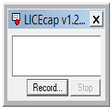
Oprogramowanie do przechwytywania ekranu
Apowersoft iPhone/iPad Recorder
Apowersoft iPhone / iPad Recorder to popularna aplikacja do nagrywania ekranu dowolnego urządzenia z systemem iOS. Aplikacja może nagrywać wszystko, co chcesz; od czatu wideo i wersji demonstracyjnych, po rozgrywkę lub samouczki. Co więcej, jest w stanie uchwycić wszystko na iPadzie Pro. Aplikacja może także wykonywać kopię lustrzaną obrazu na ekranie komputera w tym samym czasie, pod warunkiem, że iPad Pro i komputer łączą tę samą sieć Wi-Fi. Kluczowe funkcje obejmują Połącz bezprzewodowo za pomocą AirPlay. Mirroring w czasie rzeczywistym w jakości HD. Łatwe nagrywanie ekranu za pomocą 1 kliknięcia. Zróżnicowane ustawienia nagrywania. Natychmiastowe udostępnianie dla szybkiego dostępu. Rejestrator Apowersoft na iPhone'a / iPada jest naprawdę łatwy w użyciu. Po prostu upewnij się, że komputer i urządzenie iOS są podłączone do tej samej sieci Wi-Fi. Następnie dostosuj ustawienia, takie jak format wyjściowy, wejście audio itp., Które znajdują się w górnej części okna interfejsu aplikacji. Następnie na urządzeniu iOS otwórz centrum sterowania i dotknij przycisku AirPlay. Po wyświetleniu ikony ekranu możesz włączyć opcję lustra. Gdy tylko ekran iOS zostanie zsynchronizowany z komputerem, możesz natychmiast rozpocząć nagrywanie ekranu. Wystarczy kliknąć przycisk nagrywania pokazany w lewym górnym obszarze ekranu odbijanego na ekranie komputera. Po zakończeniu nagrywania kliknij przycisk Stop. Możesz znaleźć nagrany plik, po prostu naciskając ikonę folderu. Otóż to. Ogólnie rzecz biorąc, Apowersoft iPhone / iPad Recorder to świetna aplikacja, która robi dokładnie to, co mówi na obudowie. Jedyną wadą wersji próbnej jest to, że zazwyczaj otrzymujesz kilka przypomnień o wersji płatnej, a na nagranych mediach jest znak wodny i niektóre ograniczone funkcje. Poza tym aplikacja ma prosty interfejs, którym mogą się poruszać użytkownicy na wszystkich poziomach zaawansowania. Jest dość lekki i ma niewielką powierzchnię. Szukasz wersji Mac Apowersoft iPhone / iPad Recorder? Pobierz tutaj

PC Screen Recorder
PC Screen Recorder: Darmowe oprogramowanie do przechwytywania ekranu dla systemu Windows PC

Screen Share — Screen Mirroring App for Windows 10
Screen Share — Aplikacja do udostępniania ekranu i lustrzanego odbicia na Windows 10

Gom Cam 32-bit
Gom Cam is a desktop video capture app that is packed with useful features. It allows you to record anything on your PC Screen, whether that be webcam feed, presentations, video calls, or gaming screens. With GOM Cam you can record what you see on your PC screen exactly as it appears. You can also record all audio outputs from your PC as well. This allows you to create more dynamic videos. You can also capture images and customize your capture by drawing on the screen while recording.Not only can you record your screen, but you can edit them on GOM Cam instantly. Select as many sections as you like and set a background music to bring your video to the next level. A great feature of GOM Cam worth mentioning is that it is a life-time long product. Which means once you purchase a license, your minor updates for the purchased version are offered for free. Key Features include: Easy To Use:The intuitive UI allows anyone to use GOM Cam easily. GOM Cam saves you time and effort by helping you get straight to recording what you want. Easy Sharing: Share your videos on YouTube or Facebook, so more of your friends can enjoy your creations. You can also upload your videos to Google Drive or attach your files to emails and documents. Extract Audio: Extract audio from recorded clips and save it as a file. This is useful when you want to listen to background music only, or study languages. Lecture recording: Functions for making school or online class materials are provided in one-step. Record in Real-Time: Record everything in real-time. All of the functions, including drawing, enlarging/reducing the recording screen, and the effects settings, are executed in real-time. Gom Cam Video Editor: Gom Cam has Quick edit and advanced edit features that let you add music, and crop sections of clips as you see fit. Continuous Capture: Continuous capture is supported for your set time and desired quantity. GIF Animation: Make funny animated GIFs with just a few clicks. By connecting a webcam to your PC, you can record everything captured through your device. If you connect multiple webcams, you can merge the images into one video. GOM Cam also allows you to fill the video background with any images you want by using the chroma key function. Gom Cam also allows you to set & search tags. You can set tags (keywords) for saved files on the file list, and then search files easily using the set tags. Overall, GOM Cam is a great tool with various uses and capabilities. You can capture images, during recording mode, draw on videos, zoom in/out, schedule recordings, and manage effects. It is lightweight, and consumes minimal system resources. *The Free version limits recording time to 20 minutes, and includes advertisements.

Zattoo
Zattoo: Darmowe oglądanie telewizji na PC