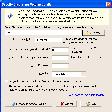
File & Folder Tools na Windows
- Przez Fahmy Corporation
- Darmowa
- 2025.11
Powiązane oprogramowanie

WinRAR 64-bit
WinRAR jest archiwizującym programem użytkowym, który w pełni obsługuje archiwa RAR i ZIP i jest w stanie rozpakować archiwa CAB, ARJ, LZH, TAR, GZ, ACE, UUE, BZ2, JAR, ISO, 7Z, Z. Program tworzy mniejsze archiwa, niż konkurencyjne programy, oszczędzając miejsce na dysku i koszt transferu. Program WinRAR oferuje interaktywny interfejs graficzny, z którego można korzystać używając myszy i menu. Dostępna jest również obsługa z wiersza poleceń. Program WinRAR jest łatwiejszy w użyciu, niż konkurencyjne produkty, ponieważ zawiera specjalny tryb kreatora, pozwalający na natychmiastowy dostęp do podstawowych funkcji archiwizacji poprzez serię prostych pytań. WinRAR oferuje funkcję najsilniejszego dostępnego szyfrowania AES (Advanced Encryption Standard) z 128-bitowym kluczem. Obsługuje pliki i archiwa o wielkości do 8 589 miliardów gigabajtów. Oferuje również tworzenie samorozpakowujących się i wieloczęściowych archiwów. Używając części awaryjnych i dziennika awaryjnego można zrekonstruować nawet fizycznie uszkodzone archiwa.
Windows USB/DVD Download Tool
The Windows USB/DVD Download tool has been designed to allow you to create a bootable copy of your Windows 7/8 ISO file on a USB flash drive* or a DVD. In order to create a bootable DVD or USB flash drive, simply download the ISO file you need and then run the Windows 7 USB/DVD Download tool. once completed you can install Windows 7 or Windows 8 directly from the USB flash drive or DVD onto your system. To install Windows from your USB flash drive or DVD, just insert the USB flash drive into your USB port or insert your DVD into your DVD drive and run Setup.exe from the root folder on the drive. In order to create a bootable USB device you need to have a Windows image file and *USB storage device that is large enough to accommodate the files. Windows USB/DVD Download tool’s interface is easy-to-use and will walk you through all required steps and fields. Basically you select the ISO file and the storage device you wan to use and you are all set. Windows 7 USB/DVD Download Tool has notable advantages, namely, taking advantage of the USB drive speed and shortening the time it takes to install the operating system.
NCH Orion File Recovery
Orion File Recovery Software, from NCH, gives the user the chance to recover and undelete lost files, or to simply and permanently erase data. Orion simply hunts your hard drive, and any other portable or external drive connected to your computer, for deleted files. If the files are not overwritten they can either be brought back or permanently deleted to rule out future recovery. It is also incredibly straightforward to use and opens with a wizard. The wizard will guide the user through the efficient process to either permanently erase or search and reinstate their desired article. This feature guides the entire search and recover process, making it incredibly easy and straightforward. Key features include: Permanently remove files to improve security Recover deleted -but wanted – files, music or photos Easy to use wizard guide Wipes hard drives, flash drives and more Supports both FAT and NTFS file systems The program will scan hard drives, flash drives or memory cards, conducting a deep scan to find additional files. After that you can filter results by file type or name, folder and other options. Through Orion File Recovery you will also be able to overwrite deleted files to prevent future recovery. It can also wipe entire hard drives, flash drives and more. Overall, NCH’s software provides a straightforward and effective tool to recover or delete important files. Operating on Windows, this program has already gained great reviews for its efficiency and practical approach.
Nexus
The Winstep Nexus Dock is a FREE professional dock for Windows. With Nexus, your most frequently used applications are only a mouse click away - and Nexus turns working with your computer into a fun and exciting experience. The Nexus dock provides one-click access to frequently used applications, folders and documents. Main features: Display running applications on the dock with task grouping, filtering and icon customization options. Display system tray on the dock as single or grouped icons. Blur-Behind and colorization of dock backgrounds. Monitor active connections and bandwidth usage with Net Meter module. Get weather forecast for over 39,000 cities world-wide. Multiple mouse over effects: zoom, swing, bounce and more! Live icon reflections and animated water-like effects for reflections and dock backgrounds. Easily change appearance of icons of running programs and shortcuts by drag & dropping PNG, ICO and TIF files directly into the icon. Multi-monitor support. Compatible with skins for all 3rd party docks.
Eassos Disk Genius
Eassos Disk Genius Free offers an all-in-one solution for data recovery, partition management and Windows backup & restore. Powerful data recovery feature is included to perform file recovery and partition recovery for free. This file recovery tool is capable of recovering lost, deleted and formatted files and partitions from PC's hard drive, external hard drive, SSD, USB flash drive, memory card, RAID, virtual disk, etc. It recovers files from unallocated disk space or inaccessible partition with original file name and path. Besides it's able to construct virtual RAID and recover data from virtual RAID just like from local disks. Overall Function for Disk Utilities: Create, delete, format, hide, resize, split, extend and shrink partition. Convert MBR partition table style to GPT without causing data loss, and vice versa. Delete files permanently to protect privacy and sensitive data. Verify and repair bad sectors for hard drives and for other devices. Backup Partition and Disk This handy tool comes with a mighty backup and restore function is built in the Windows backup software to guarantee data security, and no complicated operating steps are required to perform backup and restore. You can also back up separate partitions to image file via full backup and incremental backup. A stand out feature is the ability to clone an entire partition or hard drive to another without reinstalling Windows. You can also clone virtual disk and partition to avoid data loss. Looking for PartitionGuru? Download Here
Code::Blocks
Code::Blocks for Mac is a free C, C++ and Fortran IDE that has a custom build system and optional Make support. The application has been designed to be very extensible and fully configurable. Code::Blocks is an IDE packed full of all the features you will need. It has a consistent look, feel and operation across its supported platforms. It has been built around a plugin framework, therefore Code::Blocks can be extended with plugins. Support for any kind of functionality can be added by installing/coding a plugin. Key features include: Written in C++. No interpreted languages or proprietary libs needed.. Full plugin support. Multiple compiler support: GCC (MingW / GNU GCC), MSVC++, clang, Digital Mars, Borland C++ 5.5, and Open Watcom etc. Support for parallel builds. Imports Dev-C++ projects. Debugger with full breakpoints support. Cross-platform. Code::Blocks' interface is both customizable and extensible with Syntax highlighting, a tabbed interface, Class Browser, a to-do list manager with different users, and many more features that are provided through plugins. Looking for the Mac version of Code::Blocks? Download Here
Bandicam Screen Recorder
With Bandicam screen recorder you can video record a certain area on a PC screen, or you can record a program which uses the DirectX/OpenGL graphic technologies. Bandicam screen recorder works with a high compression ratio, whilst keeping the video quality close to the original and Bandicam provides performance far superior to other programs that provide similar functions. KEY FEATURES INCLUDE Bandicam game recorder can record DirectX/OpenGL programs, like Fraps. Because Bandicam compresses the file, the recorded file size is much smaller than the original. The recorded file can be uploaded to YouTube without any conversion in either 720p or 1080p full HD video. With the Auto Complete Recording function, you can record 24 hours of video. You can record high quality video at resolutions of up to 2560x1600.

Spaceman 99
SpaceMan 99 is a duplicate file locating app that uses intelligent algorithms to detect any space hogging, duplicate files on your system. The app’s interface is based on a Windows Explorer style. Your system files are displayed in four panes: one shows you folders, one shows you the files within a selected folder. The next one shows the names of duplicate files, and the other one presents the location of any duplicate files. Key Features include: Shows all files and folders with exact duplicates elsewhere on the system. Shows total disk space used by all files under each folder. Provides tools for safe and easy deletion of duplicate files. Works with local disks, or disks accessed across a network. Full support for FAT, FAT-32 and NTFS format partitions. Fully multi-threaded, so the app remains active constantly. Familiar and easy to use Windows File Explorer style user interface. Shows sizes in bytes, KB, MB or GB, user selectable or automatic. Generates printable reports. Controllable duplication criteria. You can run a scan of a given folder to determine how much space is being used and can then SpaceMan 99 will mark duplicate files. As soon as any duplicate files have been identified you are then able to choose which you wish to remove, and then you can review a list of the offending files. When you are finally happy with what you have chosen you can then delete the selected files forever. When removing any file from your system, it is important to know the dangers in doing so. If you don't know what you're doing, you could end up making a serious error and removing a system file. The developers have thought of this and created a protection, in the form of an option, which protects the Windows operating system files. This can be disabled if you so wish, but it would be unadvisable to do so. Overall, SpaceMan 99 is a useful and functional app that gives you a clear view of any duplicate files located on your system. It is easy to use and has a simple, yet intuitive user interface that can be navigate by all. It is lightweight and consumes hardly any system resources.
Folders Synchronizer
Folder Synchronization Made Easy with Folders Synchronizer

TortoiseGit 64-bit
TortoiseGit is a Windows Shell Interface to Git and based on TortoiseSVN. TortoiseGit is not an integration for a specific IDE such as Visual Studio, or Eclipse for instance, rather you can use it with whatever development tools you choose, and with any type of file. The main interaction with TortoiseGit will be using the context menu of a Windows explorer interface. Key features include: All commands are available directly from Windows Explorer. Only commands that make sense for the selected file/folder are shown.. Powerful commit dialog. Auto completion of paths and keywords of the modified files. Integration with issue tracking systems. Can apply patch files you got from users without commit access to your repository. Minimum log message length to avoid accidentally committing with an empty log message. Multi language support. Easy to use. TortoiseGit is developed under the GPL. Which means it is totally free for anyone to use, including in a commercial environment, without any restriction whatsoever. The source code is also freely available, so, you can even develop your own version if you need to. TortoiseGit provides you with information such as regular tasks, committing, showing logs, diffing two versions, creating branches and tags, and creating patches etc.
Cryptainer LE
Cryptainer LE is able to protect your confidential data by creating a secure vault on your system. To use it couldn't be easier; simply drag and drop your files that you want to encrypt into the vault. When you drag them outside of the vault, you can decrypt them and use them as normal. You can use Cryptainer LE on Any Windows PC, Desktop, Laptop, Hard Disk or Removable Drive such as a USB Flash Drive, or a Memory Stick. Key Features include: Simple drag and drop operation. 448 bit strong encryption. Creates an encrypted volumes. Fast encryption. Storage flexibility. Standard Windows functionality. Easy to use interface. Cryptainer LE uses powerful 448 bit encryption, and can create multiple 100 MB encrypted vaults on your hard disk. These encrypted drives can be loaded and unloaded as often as you need to. All by using a single password. With Cryptainer LE you can use these encrypted drives on your hard disk in just that same way as any other regular drive on your computer. Cryptainer LE is really easy to use and has a simple, explorer style interface with standard drop down menus. Not only is it easy to operate, but it is flexible as well, and can be installed directly on a USB/removable drive as a ‘stand alone’ install. Overall, Cryptainer LE is a comprehensive security solution that encrypts any data, any disk, drive, file, folder on any Windows based PC. It has a simple interface and is able to decrypt files on the fly. The only downside we can see, is the slightly dated interface. It's fully functional, however lacks some of the modern feel that other encryption tools have.

DAEMON Tools Lite
Kreator obrazu ISO i nagrywarka