Office Key na Windows
- Przez Lostpassword
- Wersja testowa
- 7.9
Powiązane oprogramowanie
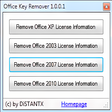
Microsoft Office Product Key Remover
Usuwanie kluczy produktu Office w prosty sposób
ProduKey
Narzędzie do wyświetlania klucza produktu

Corel Office
Corel Office is a simple and sleek, Microsoft compatible office suite, which comes loaded with three individual applications: Corel Write, Corel Calculate and CorelShow. Corel Office gives you a complete office suite that has a familiar look and feel to it. The application also comes with built-in PDF creation tools that allow you to save your files in PDF format. KEY FEATURES INCLUDE: Easy to learn and use. With a familiar ribbon-style interface, Corel Office appears like the office software you're used to, thereby making it easy to start work immediately. Microsoft compatibility. With Corel Office you can open, edit, create and save Microsoft Office documents with just one click! One-click online sharing. Corel Office allows you to share your work easily thanks to support for Dropbox, the file-sharing service, which lets you securely post files online. System requirements: Microsoft Windows 8, Microsoft Windows 7, Windows Vista or Windows XP (32-bit and 64-bit editions). 256 MB RAM. 1 GHz processor. 152 MB hard disk space for English; 165 MB for English and French. 1024 x 600 screen resolution.
Product Key Decryptor
Product Key Decryptor: Znajdź swoje zagubione klucze produktu
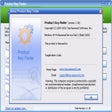
Product Key Finder
Niezawodne narzędzie do odzyskiwania kluczy produktów

File Encryption XP
File Encryption XP (eXtra Protection) is a small, lightweight security encryption utility that has been designed to protect confidential information stored on your PC. File Encryption XP allow you to encrypt files of any type and format, including Microsoft Office documents, movie clips, images, PDFs etc. The app protects your data against viewing and modification without your explicit authorization. Key Features include: Blowfish algorithm encryption. File decryption. Compression prior to encryption. Create self-extracting encrypted files. File Shredder. Support for large files (4Gb and above). Windows Explorer integration. Built-in customizable password generator. Create log files. Automatically locate and group encrypted files. Auto save user settings. Choice of skins. Highly customizable interface. The app uses an ultra-secure Blowfish algorithm for data encryption, and no encryption passwords are saved within the encrypted files. This, in turn ensures that the encryption is as secure as possible. File Encryption XP has a standard explorer style interface that is easy to navigate, and users of all levels of expertise will be able to operate the app without any issues. This is a 30 day trial.

Nitro Pro 64-Bit
With Nitro Pro you can open, review, covert and create PDF files. It also comes with stacks of features that make Nitro Pro one of the better PDF applications out there. You can comment, review, and collaborate all your work. It lets you fill and save PDF forms, and extract text and images. Nitro Pro also has support for QuickSign, to electronically sign and return your documents in seconds. Key features include: Create universally compatible PDFs: Generate 100% industry-standard PDF and PDF/A files compatible with Adobe Acrobat. Convert PDF files with ease: Convert PDF files into Word, Excel, Outlook and PowerPoint files, or create PDFs directly from Office. Edit PDFs: Manipulate text, change fonts, customize layouts and more. Optical Character Recognition (OCR) lets you turn scanned documents and images into searchable and editable PDF files. Review PDFs with collaborators: markup and revision tools that ensure accurate version control. Sign PDFs with security: Sign and certify documents while keeping your work secure, which means your confidential information remains private. Integrate PDFs with cloud: With Nitro Cloud's eSignature and workflow management, you can reduce document turnaround time. Overall, Nitro Pro contains all the tools that you will require for working with PDF documents. It comes with an in-built conversion tool, advanced reviewing tools, the ability to create new PDF documents, advanced security features and even OCR. That being said, the application is not very configurable and although it does have an excellent selection of features and a good help section, the lack of these options lets Nitro Pro down somewhat.
CCleaner Free
Czyszczenie i optymalizacja uproszczone

Privacy Protector for Windows 10
It has been widely publicised that Microsoft’s newest operating system, Windows 10, collects astonishing amounts of information about its users, with Windows 7, 8 and 8.1 to follow the trend with newly published Windows Updates. Privacy Protector for Windows 10 can delete certain elements of Windows 10’s Telemetry and Data Collection system, while other data collection methods are simply disabled. This useful tools allows a user* to act at his own discretion choosing the services for disabling to eliminate specific Windows 10 privacy concerns. Key Features include: Deletes or disables Telemetry. Clears and disables DiagTrack Log. Disables Keylogger, preventing data collection from characters typed on your keyboard. Disables Windows Defender. Disables Cortana to prevent data collection from your microphone and webcam. Disables Windows Update, allowing you blocking unwanted updates. Selectively rolls back certain Windows Updates enabling tracking features (for Windows 10, 8.1, 8, and Windows 7). Disables certain Telemetry and tracking modules in Microsoft Office 2016. Optionally blocks Microsoft Office updates. Allows reinstalling Windows 7-8 Picture Viewer. Enables users to uninstall OneDrive. Enables disabling Bing Search. You can mitigate Windows 10 privacy issues with this all-in-one tool! Privacy Protector for Windows 10 helps you gain full control over what Windows 10, 8.1, 8 and Windows 7 know about you. By using this tool** you can restrict the amount of data that is collected about you. *A user is able to act at his own discretion choosing the services for disabling to eliminate specific Windows 10 privacy concerns. **Privacy Protector for Windows 10 always creates a system restore point before establishing any changes.

MSG Wizard
MSG Wizard is an effective and efficient solution to convert MSG messages to various formats to access multiple MSG files in MS Outlook. It allows user to export multiple MSG files into multiple format to combine MSG files in few seconds. MSG converter wizard tool is provides superb feature to convert bulk MSG files into multiple formats i.e. MSG to PST, MSG to MSG, MSG to EML, MSG to EMLX, MSG to PDF, MSG to MBOX, MSG to HTML, MSG to MHT, MSG to XPS, MSG to RTF and MSG to DOC. This app supports batch MSG files conversion into Outlook PST format. MSG to Word Converter easily converts MSG messages with all attachments into healthy file formats, without any size limitation. MSG file converter tool easily export hassle free migration of unlimited MSG files along with MSG attachments and all MSG mail attributes. Key Features include: Directly Import MSG Files to MS Outlook PST files. Convert 1000+ MSG files at once with this best MSG tool. Easily merge 1000+ MSG files into PST format with simple GUI. Tool holds the MSG files structure after migration. The great thing about MSG Wizard is that it does not require Microsoft Outlook must be installed in system during files conversion. MSG migrator provide best feature of during files conversion, it maintains the integrity of data by retaining the original files structure of the MSG document. The MSG exporter tool comes with a simple GUI for non-technical users. The MSG file converter software also helps sort emails by different file naming options, in order to mange emails database easily with simple steps. MSG to Office 365 supports both type MSG file such as ASNI and UNICODE. The Outlook MSG to Office 365 account tool can likewise easily repair corrupted and unopened MSG files and convert into readable formats. Please Note: MSG Wizard is a trial and will convert the first 25 Messages only.

DAEMON Tools Lite
Kreator obrazu ISO i nagrywarka

2007 Microsoft Office Add-in: Microsoft Save as PDF or XPS
Dodatek Microsoft Office 2007: Zapisz jako PDF lub XPS pozwala eksportować i zapisywać w formatach PDF i XPS w ośmiu programach Microsoft Office 2007. Narzędzie pozwala również na wysyłanie jako załącznik wiadomości e-mail w formacie PDF i XPS w podzbiorze tych programów (niektóre funkcje różnią się w zależności od programu). Ten plik do pobrania działa z następującymi programami pakietu Office: Microsoft Office Access 2007. Microsoft Office Excel 2007. Microsoft Office InfoPath 2007. Microsoft Office OneNote 2007. Microsoft Office PowerPoint 2007. Microsoft Office Publisher 2007. Microsoft Office Visio 2007. Microsoft Office Word 2007. Ten dodatek Microsoft Save jako PDF lub XPS do programów pakietu Microsoft Office 2007 stanowi uzupełnienie i podlega warunkom licencji na oprogramowanie systemowe Microsoft Office 2007. Wymagania systemowe: Obsługiwane systemy operacyjne; Windows Server 2003, Windows Vista, Windows XP z dodatkiem Service Pack 2.