Wipe na Windows
- Przez PrivacyRoot
- Darmowa
- 2226
Powiązane oprogramowanie
Wipe Bad Disk
Wipe Bad Disk: Skuteczne Wykasowanie Danych
EZ Wipe
Bezpieczne usuwanie plików z EZ Wipe
Wipe Expert
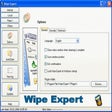
Wipe Expert: Skuteczne usuwanie śladów systemowych
Disk Wipe
Bezpiecznie usuń dane z dysków zewnętrznych i pendrive'ów.
4n6 Wipe
Skuteczne narzędzie do usuwania danych
MindSoft Wipe
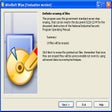
Skuteczne narzędzie do trwałego usuwania plików
Free Wipe Wizard
Skuteczne usuwanie plików w Free Wipe Wizard
Remo Drive Wipe
Skuteczne narzędzie do trwałego usuwania danych
NCH Orion File Recovery
Orion File Recovery Software, from NCH, gives the user the chance to recover and undelete lost files, or to simply and permanently erase data. Orion simply hunts your hard drive, and any other portable or external drive connected to your computer, for deleted files. If the files are not overwritten they can either be brought back or permanently deleted to rule out future recovery. It is also incredibly straightforward to use and opens with a wizard. The wizard will guide the user through the efficient process to either permanently erase or search and reinstate their desired article. This feature guides the entire search and recover process, making it incredibly easy and straightforward. Key features include: Permanently remove files to improve security Recover deleted -but wanted – files, music or photos Easy to use wizard guide Wipes hard drives, flash drives and more Supports both FAT and NTFS file systems The program will scan hard drives, flash drives or memory cards, conducting a deep scan to find additional files. After that you can filter results by file type or name, folder and other options. Through Orion File Recovery you will also be able to overwrite deleted files to prevent future recovery. It can also wipe entire hard drives, flash drives and more. Overall, NCH’s software provides a straightforward and effective tool to recover or delete important files. Operating on Windows, this program has already gained great reviews for its efficiency and practical approach.
BleachBit
BleachBit to darmowa aplikacja do czyszczenia pamięci podręcznej, która służy do lokalizowania, identyfikowania, podglądu i usuwania niepotrzebnych pamięci podręcznych i zapisanych plików przechowywanych w aplikacjach w systemie. Dzięki BleachBit możesz zwolnić miejsce na dysku i chronić swoją prywatność. Możesz zwolnić miejsce w pamięci podręcznej, usunąć pliki cookie, wyczyścić historię Internetu, zniszczyć pliki tymczasowe i usunąć pliki dzienników. Aplikacja obsługuje czyszczenie wielu aplikacji, w tym Firefox, Internet Explorer, Adobe Flash, Google Chrome, Opera, Safari i Skype. Kluczowe funkcje obejmują: Łatwy w nawigacji interfejs użytkownika: przeczytaj opis, zaznacz odpowiednie pole, kliknij podgląd i kliknij usuń. Interfejs wiersza poleceń do tworzenia skryptów i automatyzacji. Zastąp wolne miejsce na dysku, aby ukryć wcześniej usunięte pliki. CleanerML pozwala każdemu napisać nowy program czyszczący za pomocą XML. BleachBit pozwala zniszczyć dowolny plik. Obsługa wielu języków. BleachBit ma stale rosnącą listę programów czyszczących do aplikacji takich jak Firefox lub Skype. W każdym narzędziu czyszczącym BleachBit udostępnia opcje obejmujące elementy, które można wyczyścić, takie jak pamięć podręczna, pliki cookie i pliki dziennika. Ogólnie rzecz biorąc, BleachBit to schludna mała aplikacja, która ma wiele funkcji. Możesz użyć BleachBit, aby zwolnić miejsce na dysku; to z kolei zmniejszy rozmiar kopii zapasowych i czas ich tworzenia. Możesz zachować prywatność, poprawić wydajność systemu i przygotować obrazy kompresji całego dysku, usuwając wolne miejsce na dysku.
PhotoStage Free Photo Slideshow
Most of us take thousands of images, but tend not to do much with them. Why not create a slideshow with your pictures? PhotoStage Free Photo Slideshow makes showing off your pictures easy and fun to create, thanks to clean and intuitive interface. You begin by importing photographs and or media files by either ‘drag and drop’ method or via the file browser. Once the framework of your slideshow is in place you can add effects such as altering brightness, crop, rotate, speed, and zoom. Next, you specify what type of transitions you need; fade, reveal, wipe, circle, heart, or diamond. Additionally, you can record a narration, preview the slideshow, save the current frame as an image, shuffle clips, and apply multiple clips effects such as black and white, negative, sepia, oil painting. When you have finished you can save the slideshow to disc, hardware, portable device, as an image sequence or Flash file, or if you like you can upload it, as well as create a DVD movie or data disc of your slideshow. KEY FEATURES INCLUDE: Easy to use: supports drag and drop and Quick Create. Add effects: zoom, crop, fade, panning, and more. Enhance your photos: optimisation tools. Multimedia presentations: add photos and video clips, captions, music and narration. Easy to share: burn slideshows to DVD or optimize for the web. Supported formats include: bmp, gif, jpg, jif, jiff, jpeg, exif, png, tif, tiff, psd, tga, pcx, jp2, wmf, ico. Audio: wav, mp3, mp2, mpga, m4a, ogg, avi, mid, flac, aac, wma, dct, au, aiff, ogg, raw, msv, dvf, vox, cda, atrac, gsm, dss, sri, shn, dss, msv, wmv. Video: avi, mpeg, wmv, divX, Xvid, mpeg1, mpeg2, mpeg4, mp4, mov, asf, vob, ogm, .3gp, H.264, RM. Looking for the Mac version of PhotoStage Free Photo Slideshow? Download Here

DAEMON Tools Lite
Kreator obrazu ISO i nagrywarka