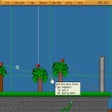
Game Editor na Windows
- Przez Game-editor
- Wersja testowa
- 1.3.6
Powiązane oprogramowanie
Gibbed Save Game Editor (Updated)
Gibbed Save Game Editor: Edytor Zapisów do Gier
Unreal Engine
Unreal Engine 4 is a complete suite of game development tools made by game developers, for game developers. From 2D mobile games to console blockbusters and VR, Unreal Engine 4 gives you everything you need to start, ship, grow and stand out from the crowd. Unreal Engine 4 supports everything mobile. It has been designed for mobile, now and in the future. From simple 2D games to stunning high-end visuals, Unreal Engine 4 gives you the power to develop your game and seamlessly deploy to iOS and Android devices. Unreal Engine 4 supports Blueprint visual scripting that enables you to rapidly prototype and build complete games, simulations and visualizations without the need for programming. All the Blueprint tools you need, and a visual debugger are included with Unreal Engine 4. Key features include: Mobile support. Editor source code. Virtual reality rendering. Unreal Engine Marketplace. Unreal Engine 4 provides you with a fully integrated suite of tools for building every aspect of your project. It comes complete with advanced features that include physically-based rendering, UI, level building, animation, visual effects, physics, networking, and asset management. Not only that, but as a developer using Unreal Engine 4, you have access to the complete C++ engine and editor source code. This means that having full source code gives you the power to customize your game, and makes it easier to debug and ship. Join Epic Games and the Unreal Engine community in updating and extending more than three million lines of code available on GitHub.
XV2 Save Editor - Dragon Ball Xenoverse
Kompleksowe narzędzie do dostosowywania dla DBXV2
GameMaker Studio 2
Game Maker Studio 2 to środowisko tworzenia gier pośrednich, idealne dla tych, którzy mają podstawy kodowania, ale wciąż się uczą. Game Maker Studio 2 oferuje wspaniałe funkcje i biblioteki, które pozwalają użytkownikom tworzyć zabawne i rozrywkowe gry bez konieczności bycia „profesjonalistą”. Game Maker Studio 2 ma szeroką bazę użytkowników i społeczność, która produkuje liczne samouczki i materiały edukacyjne. Game Maker Studio 2 ma także rynek pełen bezpłatnych i płatnych zasobów, które można wykorzystać w swoich projektach. Dodatki zawarte: Obszerna biblioteka wydarzeń i akcji Język GameMaker Edycja na podstawie pędzla Obsługa animacji Automatyczne układanie płytek Integracja z Git Debuger Mikser dźwięku Game Maker Studio 2 to świetne narzędzie, które pozwala tworzyć gry, które można publikować i udostępniać znajomym. Jeśli nie masz wcześniejszej wiedzy na temat programowania i chciałbyś tworzyć własne gry, spójrz na Scratch . Scratch jest darmowy i stanowi idealny początek podróży programistycznej. Jeśli szukasz następnego kroku lub masz średnio zaawansowaną wiedzę programistyczną i chcesz stworzyć własną grę, wypróbuj CryEngine . CryEngine jest również bezpłatny i ma ogromną społeczność z dużą ilością samouczków.
AutoTools: Clipboard Queue
Recenzja AutoTools: Clipboard Queue

Gom Cam 32-bit
Gom Cam is a desktop video capture app that is packed with useful features. It allows you to record anything on your PC Screen, whether that be webcam feed, presentations, video calls, or gaming screens. With GOM Cam you can record what you see on your PC screen exactly as it appears. You can also record all audio outputs from your PC as well. This allows you to create more dynamic videos. You can also capture images and customize your capture by drawing on the screen while recording.Not only can you record your screen, but you can edit them on GOM Cam instantly. Select as many sections as you like and set a background music to bring your video to the next level. A great feature of GOM Cam worth mentioning is that it is a life-time long product. Which means once you purchase a license, your minor updates for the purchased version are offered for free. Key Features include: Easy To Use:The intuitive UI allows anyone to use GOM Cam easily. GOM Cam saves you time and effort by helping you get straight to recording what you want. Easy Sharing: Share your videos on YouTube or Facebook, so more of your friends can enjoy your creations. You can also upload your videos to Google Drive or attach your files to emails and documents. Extract Audio: Extract audio from recorded clips and save it as a file. This is useful when you want to listen to background music only, or study languages. Lecture recording: Functions for making school or online class materials are provided in one-step. Record in Real-Time: Record everything in real-time. All of the functions, including drawing, enlarging/reducing the recording screen, and the effects settings, are executed in real-time. Gom Cam Video Editor: Gom Cam has Quick edit and advanced edit features that let you add music, and crop sections of clips as you see fit. Continuous Capture: Continuous capture is supported for your set time and desired quantity. GIF Animation: Make funny animated GIFs with just a few clicks. By connecting a webcam to your PC, you can record everything captured through your device. If you connect multiple webcams, you can merge the images into one video. GOM Cam also allows you to fill the video background with any images you want by using the chroma key function. Gom Cam also allows you to set & search tags. You can set tags (keywords) for saved files on the file list, and then search files easily using the set tags. Overall, GOM Cam is a great tool with various uses and capabilities. You can capture images, during recording mode, draw on videos, zoom in/out, schedule recordings, and manage effects. It is lightweight, and consumes minimal system resources. *The Free version limits recording time to 20 minutes, and includes advertisements.

DAEMON Tools Lite
Kreator obrazu ISO i nagrywarka
Neon Runners: Craft & Dash
Dynamic Racing Adventure with Customization
CCleaner Free
Czyszczenie i optymalizacja uproszczone

Google Chrome
Najlepsza darmowa przeglądarka Google

WinRAR 32-bit
WinRAR to narzędzie do archiwizacji, które całkowicie obsługuje archiwa RAR i ZIP i jest w stanie rozpakować archiwa CAB, ARJ, LZH, TAR, GZ, ACE, UUE, BZ2, JAR, ISO, 7Z, Z. Konsekwentnie tworzy mniejsze archiwa niż konkurencja, oszczędzając miejsce na dysku i koszty transmisji. WinRAR oferuje graficzny interaktywny interfejs wykorzystujący mysz i menu, a także interfejs wiersza poleceń. WinRAR jest łatwiejszy w użyciu niż wiele innych archiwizatorów, dzięki specjalnemu trybowi „Wizard”, który umożliwia natychmiastowy dostęp do podstawowych funkcji archiwizacji poprzez prostą procedurę pytań i odpowiedzi. WinRAR oferuje korzyść przemysłowego szyfrowania archiwów za pomocą AES (Advanced Encryption Standard) z kluczem 128 bitów. Obsługuje pliki i archiwa o wielkości do 8 589 miliardów gigabajtów. Oferuje także możliwość tworzenia samorozpakowujących się i wielowarstwowych archiwów. Dzięki rekordom odzyskiwania i woluminom odzyskiwania możesz rekonstruować nawet fizycznie uszkodzone archiwa.
TeamViewer
Aplikacja do zdalnego pulpitu
Voxile
Voxile: Wciągająca przygoda w voxelowym świecie