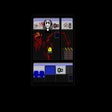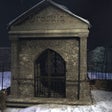
Them na Windows
- Przez Lexip Games
- Płatność
- 1.3
Powiązane oprogramowanie
Just Ignore Them
Just Ignore Them: Przerażająca przygoda na Windows
Only Lead Can Stop Them
Dynamiczna strzelanka w stylu retro

Bitdefender Antivirus Free
Bitdefender Antivirus Free Edition has been designed from ground up towards enabling you to do whatever you enjoy doing most with your computer, while staying 100% safe from e-threats. Bitdefender uses its own proprietary technologies, while also improving on basic ones which it then integrates for maximum protection. Features: Real-time Shield - The real time shield is designed to protect access to the entire system. This means that files are scanned as they are accessed or copied. For example, the files you just downloaded from the Internet are scanned immediately. Active Virus Control - Active Virus Control is an innovative proactive detection technology that is able to detect new potential threats for which default protection has not yet been released, very fast and accurately, thus providing an essential protection layer. Intrusion Detection System - This technology makes sure that applications trying to access the Internet or the network are not masked e-threats, by marking them whenever its behavior is suspect and by stopping them if the score becomes high. B-Have - B-HAVE proactively detects unknown threats that other products miss by analyzing applications behavior in a safe environment. If no malicious actions are detected, B-HAVE starts the program normally; otherwise, it will automatically quarantine or delete it. HTTP Scanning - Bitdefender Antivirus Free Edition also scans all the links you are accessing from your browser, checking them for various scams or credit card phishing attempts and blocking them when they are unsafe. Anti-rootkit - This technology is used to scan and block rootkits, a stealthy type of software, often malicious, designed to hide the existence of certain processes or programs from normal methods of detection and enable continued privileged access to a computer.
If Letters Had Pants, Would They Wear Them Like This? What About Numbers? What If They Had Small Shovels And They Dug Stuff Up To
Zabawna przygoda w słowach i strategii
Yandex.Disk
Yandex.Disk is a no-charge service, which allows you to store your photos, videos and documents in the cloud and then access them from anywhere you may be on whatever device you use. Yandex.Disk lets you keep your important files secure and able to effortlessly share them with your friends and colleagues. Key Features include: Ensure you never lose an important document ever again. Work with files in the office and continue where you left off later on. Share files from your computer even if you only have your smartphone. Wirelessly transfer files from your device to your computer. Swap large files without having to worry about USB drives. Create shared folders to collaborate with colleagues. Any files uploaded to Yandex.Disk are saved in the cloud. This means that can access them from any device that has an Internet connection. This is beneficial as you can't lose or accidentally erase them! Even in the event that something happens to your computer or mobile device. You can configure Yandex.Disk to upload your photos automatically from your mobile device whenever you have an Internet connection and also from your digital camera every time you connect it to your computer. You can also edit your Yandex.Disk photos and then collate them into albums, with names and cover images. You can then choose to share them in your social networks. You can open, edit, and even create documents on Yandex.Disk directly in your browser. The service supports text documents, spreadsheets, photos and presentations. Looking for the Mac version of Yandex.Disk? Download Here Find the FileHippo review of Yandex.Disk cloud storage software.
CCleaner Free
Czyszczenie i optymalizacja uproszczone

DAEMON Tools Lite
Kreator obrazu ISO i nagrywarka
Nexus
The Winstep Nexus Dock is a FREE professional dock for Windows. With Nexus, your most frequently used applications are only a mouse click away - and Nexus turns working with your computer into a fun and exciting experience. The Nexus dock provides one-click access to frequently used applications, folders and documents. Main features: Display running applications on the dock with task grouping, filtering and icon customization options. Display system tray on the dock as single or grouped icons. Blur-Behind and colorization of dock backgrounds. Monitor active connections and bandwidth usage with Net Meter module. Get weather forecast for over 39,000 cities world-wide. Multiple mouse over effects: zoom, swing, bounce and more! Live icon reflections and animated water-like effects for reflections and dock backgrounds. Easily change appearance of icons of running programs and shortcuts by drag & dropping PNG, ICO and TIF files directly into the icon. Multi-monitor support. Compatible with skins for all 3rd party docks.

WinRAR 32-bit
WinRAR to narzędzie do archiwizacji, które całkowicie obsługuje archiwa RAR i ZIP i jest w stanie rozpakować archiwa CAB, ARJ, LZH, TAR, GZ, ACE, UUE, BZ2, JAR, ISO, 7Z, Z. Konsekwentnie tworzy mniejsze archiwa niż konkurencja, oszczędzając miejsce na dysku i koszty transmisji. WinRAR oferuje graficzny interaktywny interfejs wykorzystujący mysz i menu, a także interfejs wiersza poleceń. WinRAR jest łatwiejszy w użyciu niż wiele innych archiwizatorów, dzięki specjalnemu trybowi „Wizard”, który umożliwia natychmiastowy dostęp do podstawowych funkcji archiwizacji poprzez prostą procedurę pytań i odpowiedzi. WinRAR oferuje korzyść przemysłowego szyfrowania archiwów za pomocą AES (Advanced Encryption Standard) z kluczem 128 bitów. Obsługuje pliki i archiwa o wielkości do 8 589 miliardów gigabajtów. Oferuje także możliwość tworzenia samorozpakowujących się i wielowarstwowych archiwów. Dzięki rekordom odzyskiwania i woluminom odzyskiwania możesz rekonstruować nawet fizycznie uszkodzone archiwa.
Simple Sticky Notes
Proste karteczki samoprzylepne to małe, pomocne narzędzie, które pozwala usunąć wszystkie irytujące żółte notatki przypominające ze ściany biura i uporządkować je na pulpicie komputera. Zapewnia prosty sposób przypominania sobie o ważnych wydarzeniach. Kluczowe funkcje obejmują: Pełna obsługa Unicode Obsługa RichText Kolorowe i przejrzyste Nadający się do druku Przyciągaj do krawędzi pulpitu Ukryj / Pokaż wszystkie notatki Proste karteczki samoprzylepne osadzają się w zasobniku systemowym. Stamtąd możesz utworzyć nową notatkę, która zaczyna się jako żółta karteczka samoprzylepna. Jeśli nie podoba ci się kolor żółty, nie stanowi to problemu, ponieważ kolor i przezroczystość każdej karteczki można zmienić i dostosować. Możesz także dopasować rozmiar do kontekstu. Proste karteczki samoprzylepne mają również kilka dobrych opcji wyświetlania; Menu zasobnika umożliwia wyświetlanie wszystkich notatek i sortowanie ich w określonej kolejności. Mimo że nuty nie są automatycznie układane jeden na drugim, a raczej rozłożone w czasie, jest to dobry sposób, aby na nie spojrzeć, nawet jeśli zostały zminimalizowane.
TeamViewer
Aplikacja do zdalnego pulpitu

Google Chrome
Najlepsza darmowa przeglądarka Google