Resize na Windows
- Przez Mixage Software
- Darmowa
- 2.7
Powiązane oprogramowanie
Perfect Resize
Wskazówki dotyczące zmiany rozmiaru zdjęć w celu uzyskania perfekcji
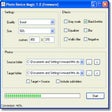
Photo Resize Magic
Szybkie i efektywne zmienianie rozmiaru zdjęć
Photoscape X Pro
Photoscape X Pro* is a an all-in-one photo editing app, which comes equipped with all manner of photo-related features, including a photo viewer, editor, batch support, collage tools, combine tool, GIF creation tool, a color picker, a screen capture tool, and RAW image support. Key Features include: Editor: Rotate, Resize, Crop, Color Adjustment, Film Effect, Light Leak, Backlight Correction, Bloom, HDR, Dehaze. White Balance, Curves, Paint Brush, Spot Healing Brush, Red Eye Correction, Liquify. Batch: Batch edit multiple photos. Viewer: Photo Browser, Full Screen Viewer, Batch Rename, Batch Resize, Batch Format Change, Lossless Rotate, Share (Email,Twitter,Facebook,Picasa,Flickr), Exif Viewer. Collage: Merge multiple photos on the collage frame to create one final photo. Combine: Attach multiple photos vertically or horizontally to create one final photo. GIF Creator: Create Animated GIF. Print: Print photos. Screen Capture: Capture your screenshot and save it. Color Picker: Zoom in on images, search and pick a color. Rename: Change photo file names in batch mode. Languages: English, Español, Deutsch, Japanese, Chinese, Korean. Overall, Photoscape X Pro is a very functional, photo editing app, that is a great alternative to some of the more well-known editing suites available. Note: this is a free trial: You can try a *time-unlimited* free trial of Photoscape X Pro before deciding to make a purchase. *Photoscape X Pro Requires WIN 10.
Visualizer Photo Resize
Praktyczne narzędzie do zmiany rozmiaru zdjęć
Free Resize Video
Darmowe wideo do zmiany rozmiaru — jak zmienić rozmiar wideo w systemie Windows
Resize My Photos
Jak zmienić rozmiar moich zdjęć w systemie Windows XP?
Taskbar Resize Tool for Vista
Narzędzie do dostosowywania paska zadań w Windows Vista
Free Image Convert and Resize
Darmowe oprogramowanie do konwersji i zmiany rozmiaru obrazów
PHOTO RESIZER: CROP, RESIZE AND SHARE IMAGES IN BATCH
Wszechstronne narzędzie do edycji zdjęć

DAEMON Tools Lite
Kreator obrazu ISO i nagrywarka
CCleaner Free
Czyszczenie i optymalizacja uproszczone
PhotoPad Image Editor
PhotoPad Image Editor is a picture editing utility that combines some powerful tools with an easy to use interface. It allows you to easily edit, crop, rotate, resize and flip your digital photos and other images. KEY FEATURES INCLUDE: Crop, rotate, resize and flip pictures. Touch up photos to remove red-eye and blemishes. Apply photo effects, including oil paint, cartoon, vignette, and sepia. Sharpening and noise reduction tools help improve image quality. Adjust image color/hue, saturation, brightness and contrast. Convert your images to cross stitch patterns, paint by numbers or add an oil painting effect. All popular image formats supported. Upload edited pictures directly to Facebook or Flickr. With PhotoPad Image Editor you can freely make basic edits to your images and also add some neat effects too. It has the option to create collages and photo mosaics from your pictures and you can also add text and captions. If you like, you can complete your masterpiece by adding simple frames or borders. Although PhotoPad Image Editor can undertake all the basics of image editing and manipulation, it isn’t Photoshop by any stretch of the imagination, but then again, it never claimed to be. The interface is straightforward with self-explanatory icons placed across a basic toolbar inside the main editing window. It does have all the basic editing tools within easy reach and allows you to apply some nifty effects without any specialized knowledge. PhotoPad Image Editor does not have a massive amount of features that are found in most professional image tools, and even though it is a fairly simple image processor, it does take up a moderate amount of your system resources.