
Perfect Effects na Windows
- Przez onOne Software
- Darmowa
- 3.0.2
Powiązane oprogramowanie
MusicBee
MusicBee makes it easy to organize, find and play music files on your computer, on portable devices and on the web. MusicBee lets you play your music the way you want to hear it, and makes managing a large collection of files easy. Features: Support for all common formats, including MP3, WMA, AAC, M4A and many others. Extensive metadata support, allowing you to tag and categorise your collection in any way you like. Integration with Last.fm, allowing you to scrobble from within MusicBee! Integration with popular music blogs, so you can stream music and keep up to date with the latest news. Automatic download of album artwork, song lyrics, upcoming concert dates, similar tracks… and more! Create the perfect party playlist and turn your computer into a music jukebox, with beautiful built in graphics and more available from Winamp. Professional level features such as 5 Band Spectrum Visualizer, Smart Cross-Fade, 10 Band Equalizer, DSP Effects and support for WASAPI and ASIO. A loyal and ever-growing user base, meaning support, new features and plugins are always available.

ElFont Urban Calligraphy
Bold and Edgy Font for Creative Projects
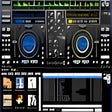
Gemini Groove
Gemini Groove is an MP3-compatible DJing application that provides all the tools that you need for mixing it up and creating that perfect sound. The basic layout is two virtual turntables and a mixing console sat in the middle of the two. As with a real turntable, each deck has its own pitch. There is also a loops and effects console, three cues and the tracks' progress bar. The console also has a three-range equalizer, individual volume controls, master volume and a cross-fader. The application is fairly easy to get to grips with and comes with a few cool functions, such as an automix function that allows you to fade into tracks. The feature also allows you to control the duration and style of fades. It also has support for MIDI controllers. Gemini Groove does have some shortcomings too though. Gemini Groove's user interface is not very intuitive, and is a little clumsy. The application hasn't got a great selection of effects, there is no skinning and really annoyingly there is not auto BPM. That being said, the interface does show you all you need and the cross-fader is very good. Overall it isn't that bad for a starter application if you want to get into the world of mixing.

Zulu Free Professional DJ Software
Zulu Free Professional Virtual DJ Software is pro DJ mixing app for the Windows platform. With it you can mix and broadcast live music, audio and Mp3s. Drag and drop music into or around Zulu's interface and preview an upcoming track through headphones via a secondary audio output. You can also apply effects on the fly. Key Features include: Crossfade in between two tracks. Automatic beat detection. Automatic synchronization between the decks based on BPM. Supports a large number of audio formats including wav, mp3, vox, gsm, real audio, au, aif, flac, ogg etc. Change the pitch in real time of each track, slow it down or speed it up to manually sync it with the other tracks. Add a cue pointer marker at any point in a track to instantly start playing the track from that point. Loop sections within a track and synchronize that loop to the BPM. Real time Equalization on each Deck (track) including "kill" buttons for instant EQ. Apply effects in real-time to a track. Effects include Distortion, High Pass Filter, Reverb, Phaser, Flanger and Delay. Separate output for headphones. Simple and intuitive user interface for day-to-day operation. Loading tracks is easy, simply add it to a deck and it will automatically scan the file for a beat and assign a beat per minute (BPM), and will change the tempo in the second deck for perfect synchronization and a seamless crossover. Looking for the Mac version of Zulu Free Professional Virtual DJ Software? Download Here

Thunderstrike
Dynamic Typeface for Bold Designs

The Jacatra
Dynamic Display Font for Urban Aesthetics

MixPad Multitrack Recording Software
MixPad Multitrack Recording Software (Free) is an easy and intuitive multitrack mixing and recording app that gives it users studio quality tools at literally the click of a mouse. This version of MixPad is free as long as the banging beats and thumping bass tracks you are throwing down are for non-commercial use. It’s the perfect app for bedroom music makers and audio-professionals alike. MixPad has a lot in its favor for users: As well as being able to integrate with a whole bunch of audio tool add-ons, the interface has been designed not to look like a professional studio mixing console but rather something both novice and advanced users can understand and adapt to in minutes. Anyone who has used MS Office or Windows will be able to get to grips with MixPad almost immediately due to the instantly familiar feel. Despite being free, MixPad looks and feels very professional. It has all the hallmarks of software you’d expect to pay a whole lot of money for, such as multi-track mixing and recording and supporting sample rates from 6Khz to 96Khz. MixPad allows you to mix an unlimited number of music and vocal audio tracks, and lets you add audio effects such as reverb, EQ, compression and lots of other important audio tools and tricks. We tested [played more like] with MixPad in the office and were pleasantly surprised by its depth, ability to sample, and the wide variety of output formats. Within minutes we were being offered music deals and had agents trying to break down doors to offer us lucrative recording contracts. [OK, maybe not, but it is fun to use.] MixPad isn’t just aimed at music pros either. A really nice feature is the fact you can also produce studio quality soundtracks for videos or slide shows, and as a tour-de-force, making highly professional audio pod-casts is frustration free. You can also mix voice-overs with background music for commercials MixPad also comes with a fully loaded royalty free sound effect and music library that has hundreds of clips you can use to create your own music and remix and mashup the tunes of others. We found this to be a particular highlight, as we could get mixing and ‘laying down beats,’ straight away. Key Features: Free (for non commercial use). Easy and intuitive. Mac version. Create tracks and audio within minutes. Unlimited tracks on single recordings. Mix to mp3, burn to CD or upload your productions. Professional feel with Windows based drag-and-drop icons. Fully featured audio library. Save in any file type you need, from studio quality wav files to high compression formats for sharing online. Very low latency, ASIO support for sample accurate recording. There is a premium version of MixPad out there, should you be completely won over by MixPad, but we didn’t try it, and we haven’t noticed any loss from not trying it. Overall, as stated above, this version of MixPad is free for non-commercial use, and is well worth trying out, even if you aren’t all that into music.

CCleaner Free
Czyszczenie i optymalizacja uproszczone

WinRAR 32-bit
WinRAR to narzędzie do archiwizacji, które całkowicie obsługuje archiwa RAR i ZIP i jest w stanie rozpakować archiwa CAB, ARJ, LZH, TAR, GZ, ACE, UUE, BZ2, JAR, ISO, 7Z, Z. Konsekwentnie tworzy mniejsze archiwa niż konkurencja, oszczędzając miejsce na dysku i koszty transmisji. WinRAR oferuje graficzny interaktywny interfejs wykorzystujący mysz i menu, a także interfejs wiersza poleceń. WinRAR jest łatwiejszy w użyciu niż wiele innych archiwizatorów, dzięki specjalnemu trybowi „Wizard”, który umożliwia natychmiastowy dostęp do podstawowych funkcji archiwizacji poprzez prostą procedurę pytań i odpowiedzi. WinRAR oferuje korzyść przemysłowego szyfrowania archiwów za pomocą AES (Advanced Encryption Standard) z kluczem 128 bitów. Obsługuje pliki i archiwa o wielkości do 8 589 miliardów gigabajtów. Oferuje także możliwość tworzenia samorozpakowujących się i wielowarstwowych archiwów. Dzięki rekordom odzyskiwania i woluminom odzyskiwania możesz rekonstruować nawet fizycznie uszkodzone archiwa.

DAEMON Tools Lite
Kreator obrazu ISO i nagrywarka

2007 Microsoft Office Add-in: Microsoft Save as PDF or XPS
Dodatek Microsoft Office 2007: Zapisz jako PDF lub XPS pozwala eksportować i zapisywać w formatach PDF i XPS w ośmiu programach Microsoft Office 2007. Narzędzie pozwala również na wysyłanie jako załącznik wiadomości e-mail w formacie PDF i XPS w podzbiorze tych programów (niektóre funkcje różnią się w zależności od programu). Ten plik do pobrania działa z następującymi programami pakietu Office: Microsoft Office Access 2007. Microsoft Office Excel 2007. Microsoft Office InfoPath 2007. Microsoft Office OneNote 2007. Microsoft Office PowerPoint 2007. Microsoft Office Publisher 2007. Microsoft Office Visio 2007. Microsoft Office Word 2007. Ten dodatek Microsoft Save jako PDF lub XPS do programów pakietu Microsoft Office 2007 stanowi uzupełnienie i podlega warunkom licencji na oprogramowanie systemowe Microsoft Office 2007. Wymagania systemowe: Obsługiwane systemy operacyjne; Windows Server 2003, Windows Vista, Windows XP z dodatkiem Service Pack 2.

Audacity
Audacity to darmowy, łatwy w użyciu edytor i rejestrator audio dla Windows, Mac OS X, GNU / Linux i innych systemów operacyjnych. Możesz użyć Audacity, aby: Nagrywaj dźwięk na żywo. Konwertuj taśmy i nagrania na nagrania cyfrowe lub płyty CD. Edytuj pliki dźwiękowe Ogg Vorbis, MP3, WAV lub AIFF. Wycinaj, kopiuj, łącz lub łącz dźwięki. Zmień prędkość lub wysokość nagrania. Dodaj nowe efekty dzięki wtyczkom LADSPA. I więcej!